History keeps completed conversations available for review. Use it to notice: repeated objections, buyer language, captured leads, label matches, Product Discovery evidence, and the conversations your team should learn from.
Build a lightweight review habit that finds useful conversations, reads them for patterns, and turns history and digests into concrete changes.
Need an exact capability definition, plan requirement, or limitation? Browse the Feature Reference.
Review rhythm
01
Build a weekly conversation review.
Early teams do not need a complex analytics program. They need a habit: read the important chats, mark repeated patterns, and make one improvement before the next week of traffic.
Open History and set Handled by to AI, then use Visitor → Has email, Has phone, or Any contact to find conversations with captured details. Narrow by Site, dates, Label, or Search as needed. Contact details and labels are starting points for review, not proof of a qualified buyer.
Members review their own accessible conversations. The organization owner can switch Scope from Mine to Team for a wider review. History contains closed conversations; use Chats to monitor an active one. Date filters use the close time and your browser’s local calendar, so a chat opened yesterday and closed today appears under today.
Practice
Try this next
01Monday: scan the weekly digest and open the highlighted conversations.
02Filter History to AI plus Has email and read the conversations that may need follow-up.
03Also read a conversation with no contact details or label so the review is not limited to people who volunteered information.
04Filter by one label such as competitor comparison or confused evaluator.
05Pick one copy, prompt, or product follow-up action.
06Write the action down before opening the next analytics dashboard.
Illustrative weekly output
Conversation review note
Pattern
Three pricing visitors asked whether a chat means one message or a full conversation.
Evidence
Sessions 142, 155, and 161; all came from the pricing page.
Decision
Rewrite pricing copy and Stand-in answer to define a chat as a conversation thread.
Owner
Founder updates the page; Stand-in owner updates the prompt.
Check next week
Watch whether the repeated pricing question declines.
What to look for
02
Read for language, constraints, and gaps.
A transcript gives you language to test in page copy, alternatives to explain in comparisons, and constraints to check in onboarding. Keep the original words beside your interpretation so the proposed change remains traceable to what the visitor said.
Do not only ask whether the AI answered correctly. Ask what the visitor was trying to decide.
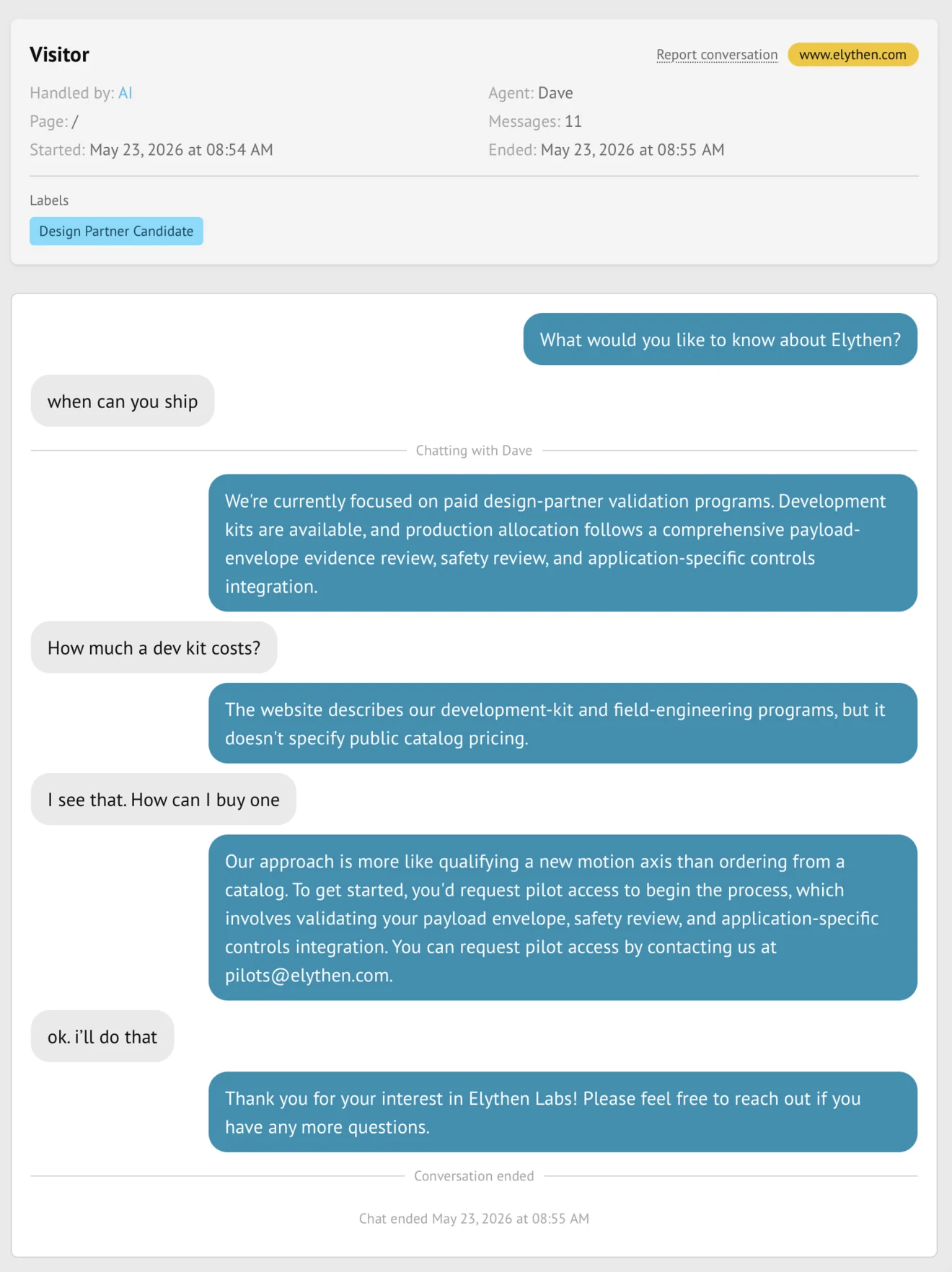
Figure 7-1. A closed conversation carries the transcript, site, handler, Stand-in, labels, and timestamp together so the review starts from evidence rather than a summary alone.
Example
Repeated pricing question
Situation
Five visitors ask whether a "chat" means one message or one full conversation.
Move
Update pricing copy and the Stand-in prompt. Then watch whether the label or question declines.
Insight
Repeated questions are a reason to test clearer page copy; compare both question frequency and answer quality afterward.
Example
Unexpected buyer language
Situation
Visitors keep saying "coverage" instead of "automation" when they describe why Stand helps.
Move
Test the word "coverage" in hero or pricing copy.
Insight
The visitor's category language can be more useful than your internal positioning language.
Reporting
03
Use digests for patterns and history for evidence.
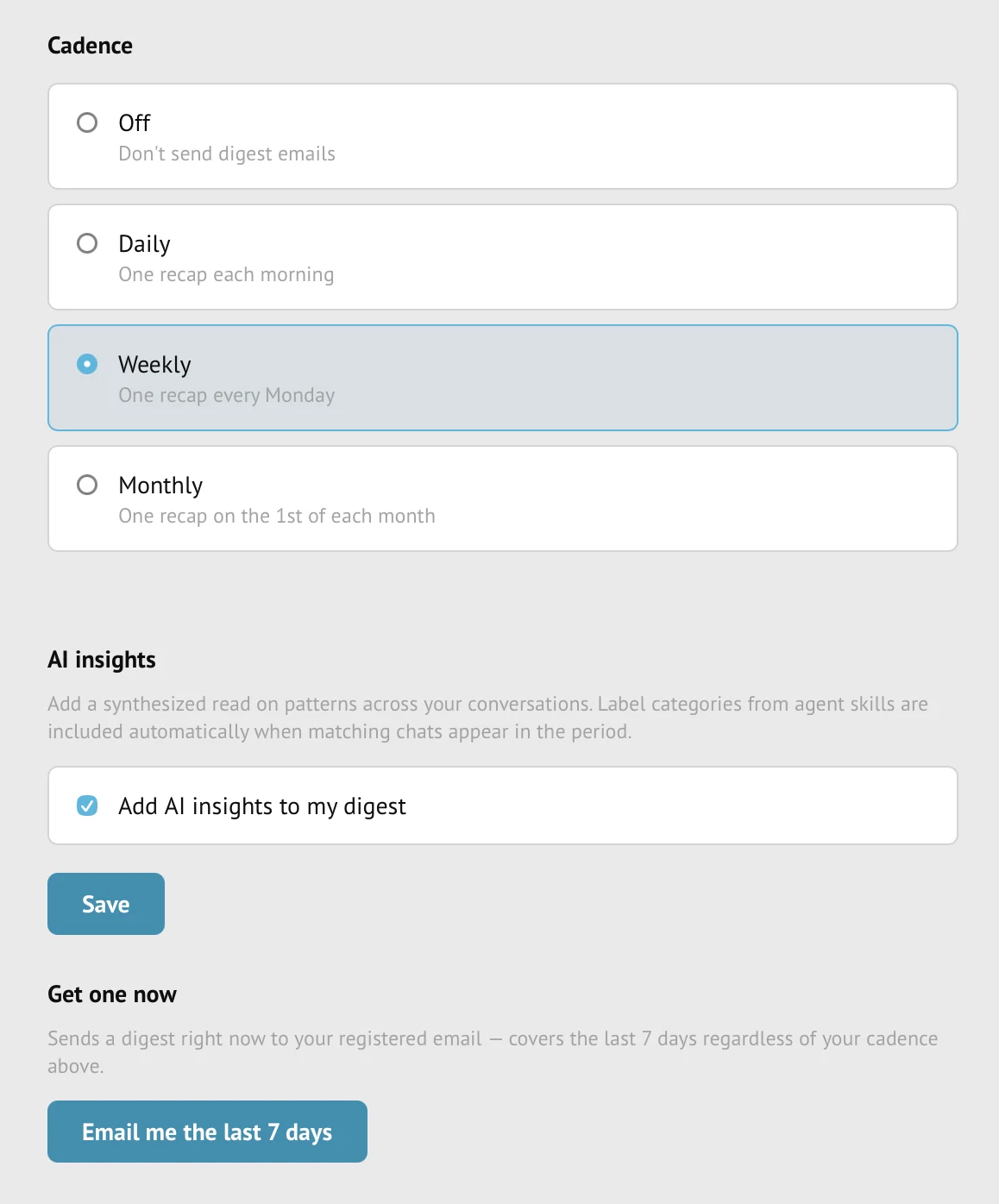
Open Digest to choose Off, Daily, Weekly, or Monthly, and decide whether to skip periods with no chats. Use the on-demand last-seven-days email to check the result. Digests summarize activity; History supplies the transcript behind the summary.
On Pro and Business, enable Add AI insights to my digest for generated analysis, including relevant label and Product Discovery findings. Follow the evidence links and verify the interpretation against the transcript.
For a working note, use Copy in a conversation detail to copy Markdown. For analysis across conversations, set the History filters and choose Download filtered conversations as JSON; the download includes all matching accessible results, not only the displayed page. Store exported contact details and transcripts where your organization permits customer data.
Figure 7-2. Cadence and AI insights turn review into a habit. Use digests to decide where to read deeply, then open history for the source conversation.
Tool
Use it for
Best next action
ToolHistory filters
Use it forFinding specific sessions by type, contact, site, label, or owner scope
Best next actionRead the transcript and follow up
ToolEmail digest
Use it forScanning recent activity without opening every row
Best next actionOpen highlighted sessions
ToolLabel matches
Use it forFinding conversations that fit your signal definitions
Best next actionJoin live next time or improve page copy
ToolProduct Discovery report
Use it forSeeing evidence tied to research questions
Best next actionPlan deeper interviews or product decisions
Questions
Common reader notes
How long are transcripts retained?
The owner sets conversation retention in Team → Privacy & retention. The dashboard offers 90 days on Base; Pro and Business also offer 180 days, 1 year, 3 years, or 5 years. Retention clears expired chat content and visitor details; it does not remove all usage statistics, so do not treat History or an old digest link as a permanent archive. Review the Conversation retention feature reference before shortening the period.
Can I filter by leads?
Yes. History includes contact filters for has email, has phone, and any contact.