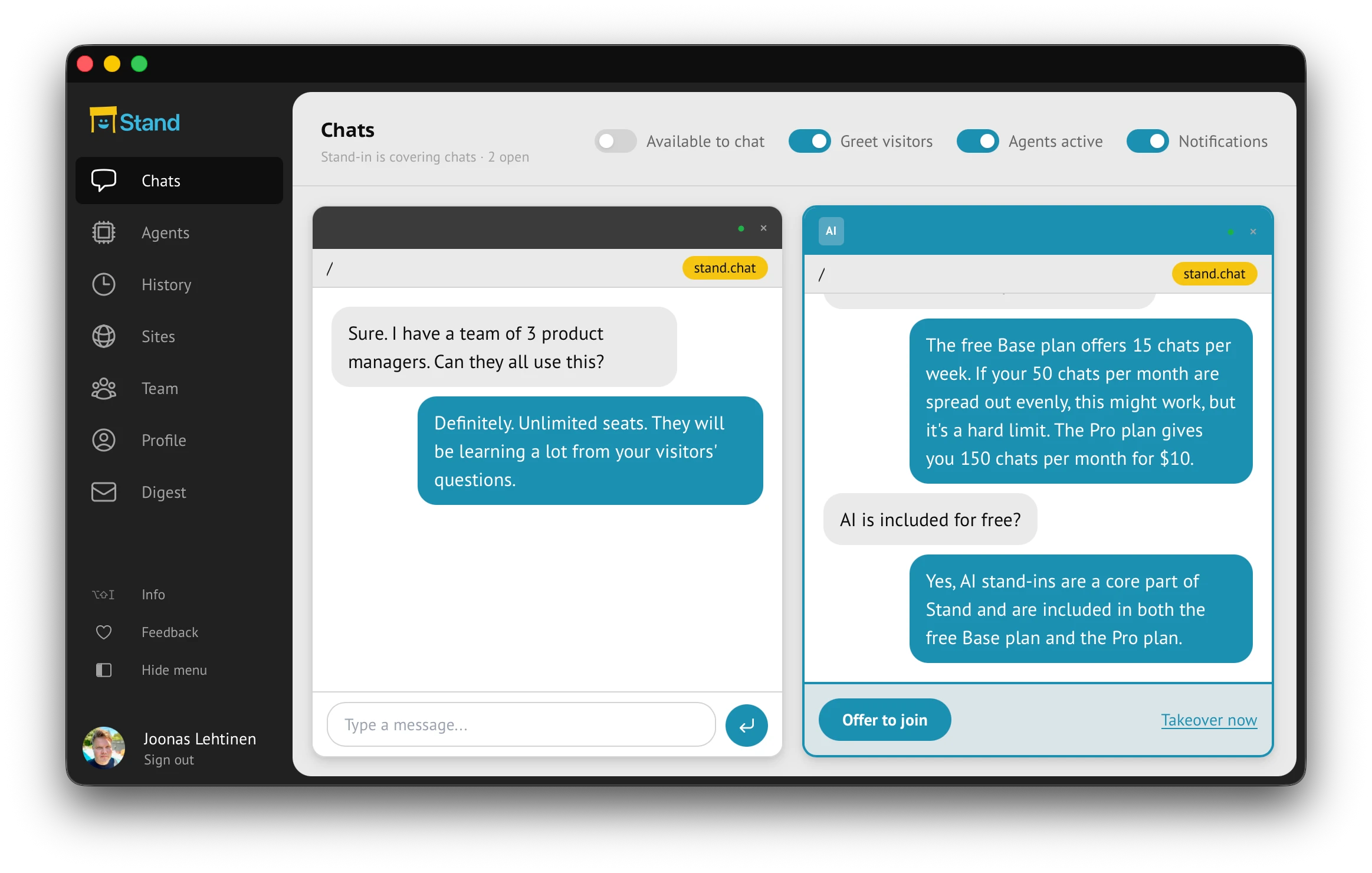
The dashboard gives you the transcript, captured details, labels, and handoff state before you type. You can watch several Stand-in chats in parallel, open the thread that matters, and decide whether to stay silent, offer to join, or take over.
Chats lists active conversations associated with your member account, normally including those handled by your own Stand-ins. It is not an organization-wide live inbox. Assign a monitoring owner for each Stand-in; an organization owner’s Team scope in History is for completed conversations.
The first human message should prove you were listening: refer to the question, constraint, or comparison already in the conversation.
Header control
What it controls
How to read it during handoff
Header controlAvailable to chat
What it controlsRoutes new visitors to you while you are online and below your concurrent chat limit.
How to read it during handoffTurn this on only when you are actually watching. If it is off, enabled Stand-ins can still cover chats when Stand-in coverage is active.
Header controlConcurrent limit
What it controlsAppears when you are available and sets how many human chats you can handle at once.
How to read it during handoffSet this to honest attention, not optimism. When you hit the limit, new visitors can be covered by eligible Stand-ins.
Header controlGreet visitors
What it controlsControls greetings for your human chats.
How to read it during handoffClick the label to edit human greeting variants. A Stand-in’s greeting belongs in its Identity tab; Site behavior rules can override the page invitation.
Header controlStand-in coverage
What it controlsActivates coverage by your enabled Stand-ins on eligible sites.
How to read it during handoffWhen Stand-in coverage is active, enabled Stand-ins can cover chats when no rep is Available or every eligible rep is at capacity.
Header controlNotifications
What it controlsControls browser and push notification setup for Stand alerts.
How to read it during handoffKeep this on when label matches or active chats should pull you back into the dashboard.