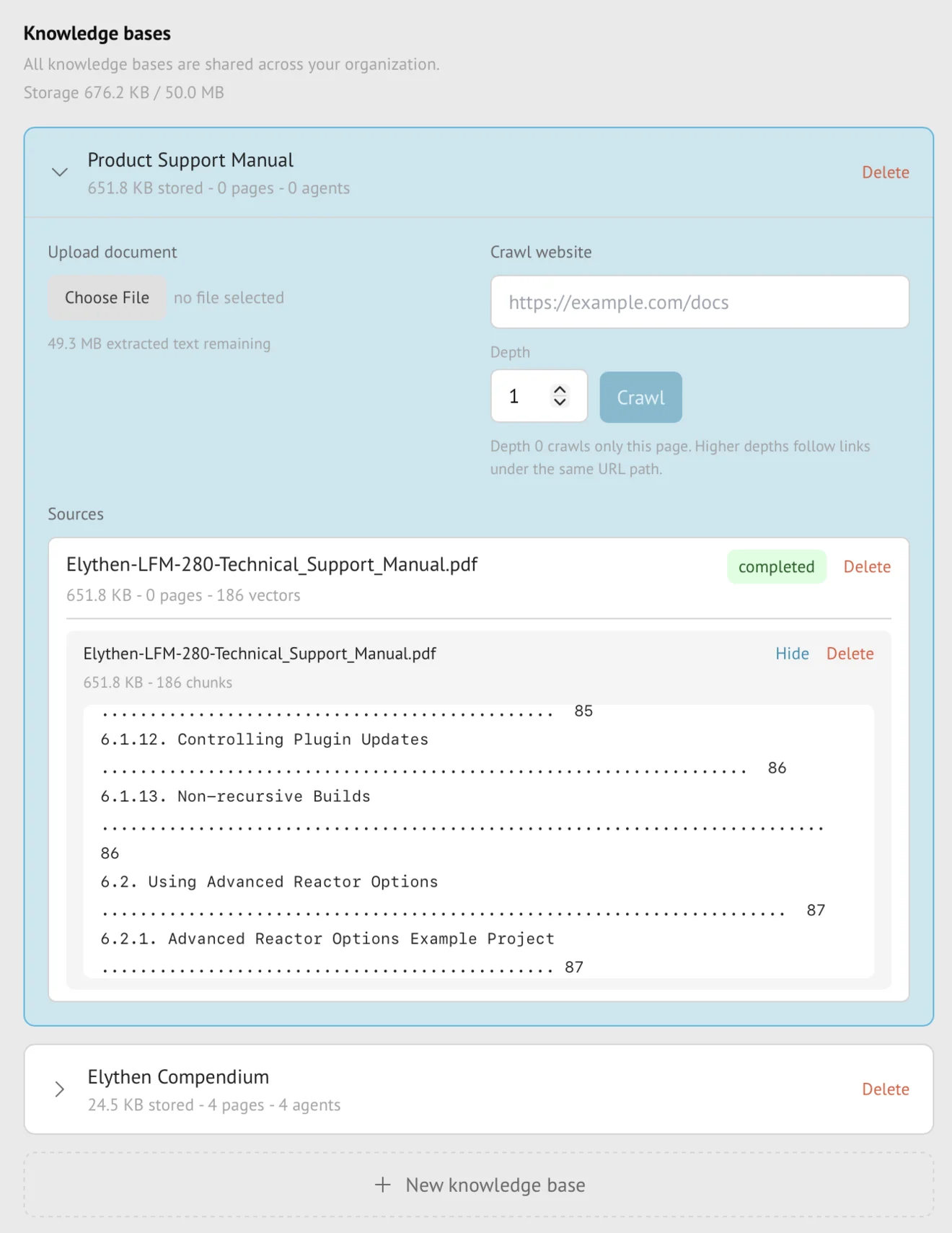
Knowledge bases
Attaching knowledge bases to Stand-ins
An attachment makes an organization knowledge base available for private retrieval by one AI Stand-in. The Stand-in searches attached material when it is relevant and falls back to its instructions when no useful source is found.
- Availability
- All plans
- Configured in
- Dashboard → Stand-ins → select a Stand-in → Edit → Skills → Use knowledge bases
- Category
- Knowledge bases
- Reference status
- Current
Before you begin
Plan availability: All plans; Base supports its one website knowledge base, while Pro and Business support up to 3 attachments per Stand-in.
Prerequisite: A saved Stand-in and at least one successfully ingested organization knowledge base available under the current plan.
Key boundary: Stand retrieves relevant excerpts rather than loading an entire source for every answer. Replies can quote or paraphrase those excerpts; attachment is not a way to restrict which facts a visitor may learn.
Attach knowledge to a Stand-in
- Open the Stand-in, choose Edit, then open Skills and locate Knowledge bases.
- Enable knowledge use and select from the organization-visible knowledge bases available to that Stand-in and plan.
- Save the Stand-in. Selection changes do not affect Try it out or public conversations until the editor successfully saves.
- Use Try it out with source-grounded and unsupported questions to verify retrieval and fallback behavior.
Attachment limits
| Plan | Stand-in attachment behavior |
|---|---|
| Base | The included single website knowledge base can be attached to a Stand-in. |
| Pro | Up to 3 knowledge bases can be attached to one Stand-in. |
| Business | Up to 3 knowledge bases can be attached to one Stand-in under the current public entitlement. |
What happens during a conversation
For an AI turn, Stand can search the Stand-in’s attached bases for sections relevant to the visitor’s question. Retrieved excerpts retain source title, page or document identity, and section context for grounding inside the AI pipeline.
The Stand-in uses useful facts naturally in its answer. When no source is relevant, it continues from its customer-controlled instructions and the conversation rather than presenting random source text as an answer.
Ownership and visitor visibility
- Members can see organization knowledge bases, but attachment does not transfer ownership of the source.
- Only the knowledge owner can update its sources, refresh supported source types, or delete it.
- Retrieved excerpts are supplied to the AI without a separate visitor-visible source panel. The AI can use their contents in its answer, including quotations; only attach material suitable for the visitors who can reach this Stand-in.
- An answer can share a supported source link when relevant, but that is Link sharing behavior and not automatic disclosure of the entire knowledge base.
Refresh, detach, and downgrade behavior
- A successful source refresh updates future retrieval without reattaching the base.
- Detaching changes future turns and does not rewrite completed conversations.
- Deleting the source or knowledge base removes it from future retrieval after deletion completes.
- On downgrade, existing over-limit attachments can be kept or reduced. Adding a new attachment is blocked during grace state; remove unneeded attachments and sources to return within the current entitlement. Existing content remains available for retrieval, while new ingestion and refresh are restricted.
- Knowledge quality can reduce unsupported answers but cannot guarantee that every response is correct.
Example
The screen below shows the feature in its normal Stand context. Labels and surrounding controls may vary with account state and plan.