AI Stand-ins
Try it out
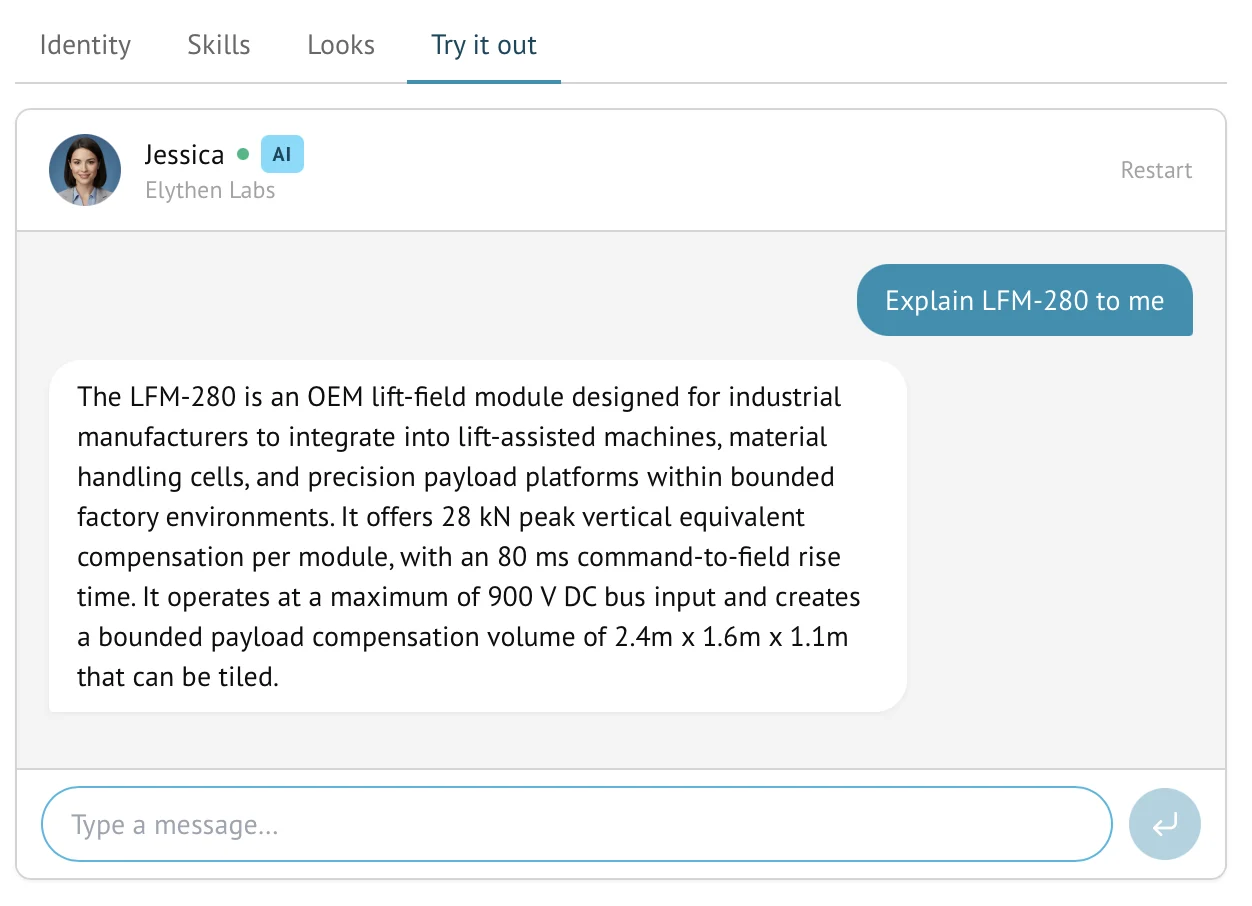
Try it out opens a temporary dashboard conversation with a selected Stand-in, including one that is disabled for public chat. It uses the saved AI configuration, does not consume chat quota, and is not saved in History. Leaving the tab or choosing Restart closes the test.
- Availability
- All plans
- Configured in
- Dashboard → Stand-ins → select a Stand-in → Try it out
- Category
- AI Stand-ins
- Reference status
- Current
Before you begin
Plan availability: All plans.
Prerequisite: A saved Stand-in configuration; knowledge changes must be attached and saved before the test can use them.
Key boundary: Try it out verifies the saved AI configuration, not public Site installation, domain matching, reveal behavior, human routing, browser notifications, or the exact visitor widget layout.
What the test conversation uses
Opening Try it out mounts a test-chat client for that Stand-in. Messages go through the AI conversation pipeline using the currently saved customer-controlled configuration rather than a separate mock prompt.
- Saved Team and Stand-in instructions, plus Site instructions when the Stand-in is specialized to that Site. A general Stand-in test has no matched Site instruction layer.
- The selected Stand-in’s saved skills and configuration.
- Knowledge bases that were attached and saved for the Stand-in.
- The Stand-in identity used to label the test conversation in the editor.
Start and end a test
- Save pending Identity or other Stand-in changes before opening the test when those changes should be evaluated.
- Open the Try it out tab and send realistic questions, including questions that should be answered from knowledge and questions the Stand-in should decline or hand off.
- Inspect the actual response rather than treating a successful connection as proof of quality.
- Copy any responses you want to keep, then leave the tab. Restart closes the current test and opens a fresh one. Tests are not retained in History.
What it can verify
| Useful check | What to observe |
|---|---|
| Instruction behavior | Whether the Stand-in follows its role, tone, boundaries, and conversation approach. |
| Knowledge retrieval | Whether a question grounded in an attached source receives a useful, relevant answer. |
| Unknown information | Whether the Stand-in avoids inventing details when its instructions and knowledge do not contain an answer. |
| Skills | Whether an enabled skill enters the conversation under the conditions its own reference page defines. |
| Language | Whether the Stand-in follows clear visitor-authored language during the test. |
How it differs from a public chat
- It runs in the authenticated dashboard rather than through the installed website widget.
- It does not prove that a Site is installed, enabled, or matched to a real visitor URL.
- It targets the selected Stand-in directly, does not consume the organization’s chat quota, and does not appear in the normal live-chat lists or completed History.
- It does not demonstrate configured launcher timing, greeting memory, compact display, step-aside behavior, or mobile presentation.
- It should not be used as evidence that Web Push or browser notification delivery works on a rep device.
Availability and limits
- Try it out is available for Stand-ins on every plan.
- The Stand-in can be tested before it is enabled for public routing, which is the intended safety benefit.
- The test uses saved configuration. After changing instructions, save them and choose Restart to check a fresh conversation.
- Attached integrations can make real API calls during Try it out, including confirmed writes. Use a test API endpoint for actions. Test conversations do not deliver the normal post-close follow-up email; verify that delivery in a controlled website chat instead.
- AI output remains variable. Test several representative and boundary questions rather than relying on one favorable answer.
Example
The screen below shows the feature in its normal Stand context. Labels and surrounding controls may vary with account state and plan.