Blog
Let website visitors continue the chat on WhatsApp
A visitor who has asked their questions on your website can take the chat to your WhatsApp, with the conversation so far already typed in.
November 18, 2026
A visitor who has asked their questions on your website can take the chat to your WhatsApp, with the conversation so far already typed in.
November 18, 2026
I do not use WhatsApp. My plan for it in Stand, the website chat I built, was that whoever answers a website chat could do it from inside WhatsApp. That needs WhatsApp's business API, every version of it came out limited, and I dropped the plan on 10 November.
Six days later an AppSumo customer from Brazil explained to me how small businesses there close a sale. The visitor asks their questions in the chat on the website. When they are ready to buy, they choose "Continue on WhatsApp", and WhatsApp opens on the business's number with the conversation already typed in. An ordinary wa.me link does it.
It was my plan turned around. The visitor moves to WhatsApp, so nothing has to connect WhatsApp to Stand. All Stand has to know is a phone number.
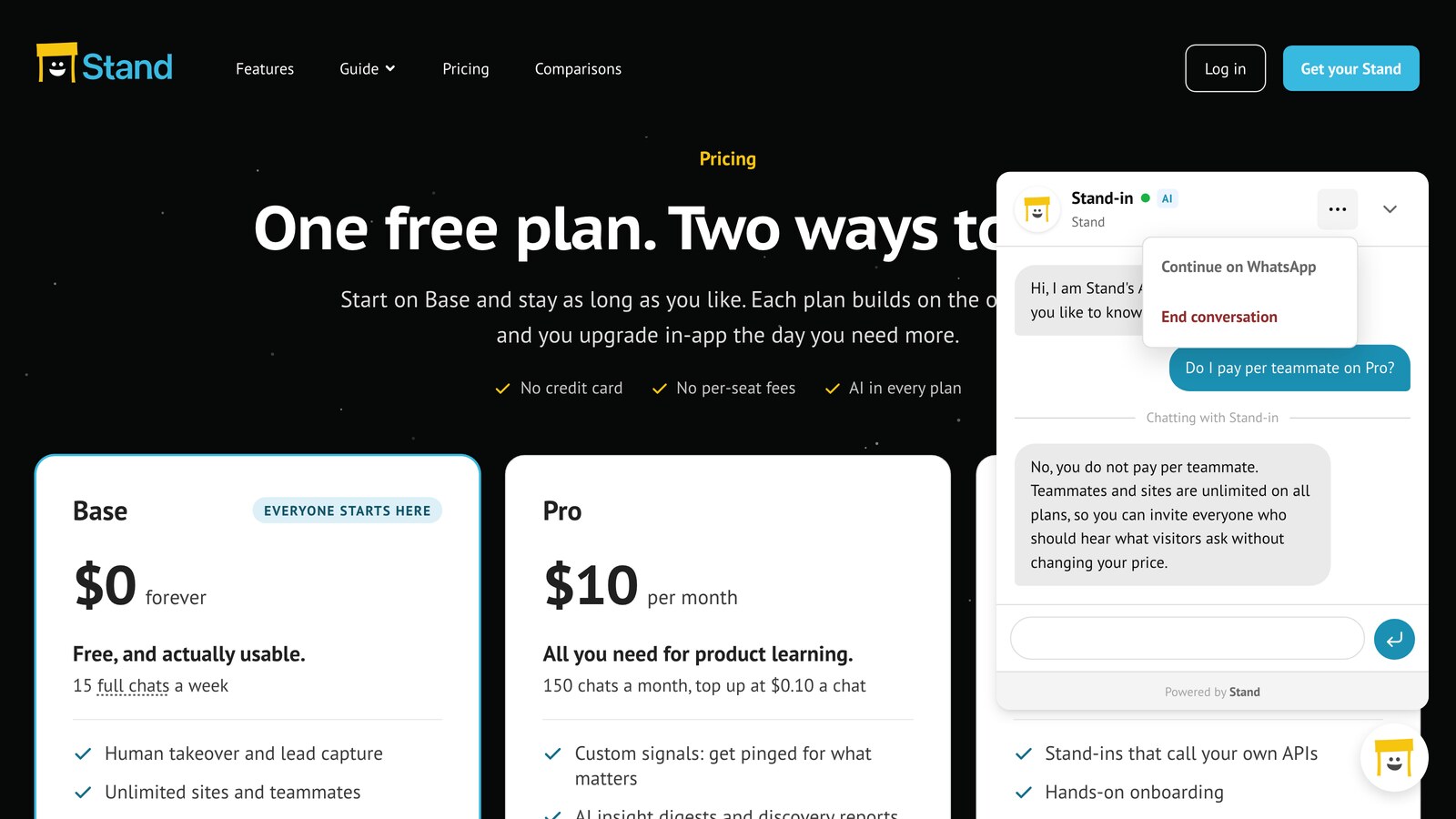
Stand now has this as Continue on WhatsApp, in the chat's menu from the moment the chat opens. To try it I saved my own number for stand.chat. A visitor asked the Stand-in, the AI that answers while I am away, one question and chose Continue on WhatsApp. WhatsApp opened on my number with the text in the message field. The visitor could have edited it, and nothing was sent until they pressed Send. Then this arrived on my phone:
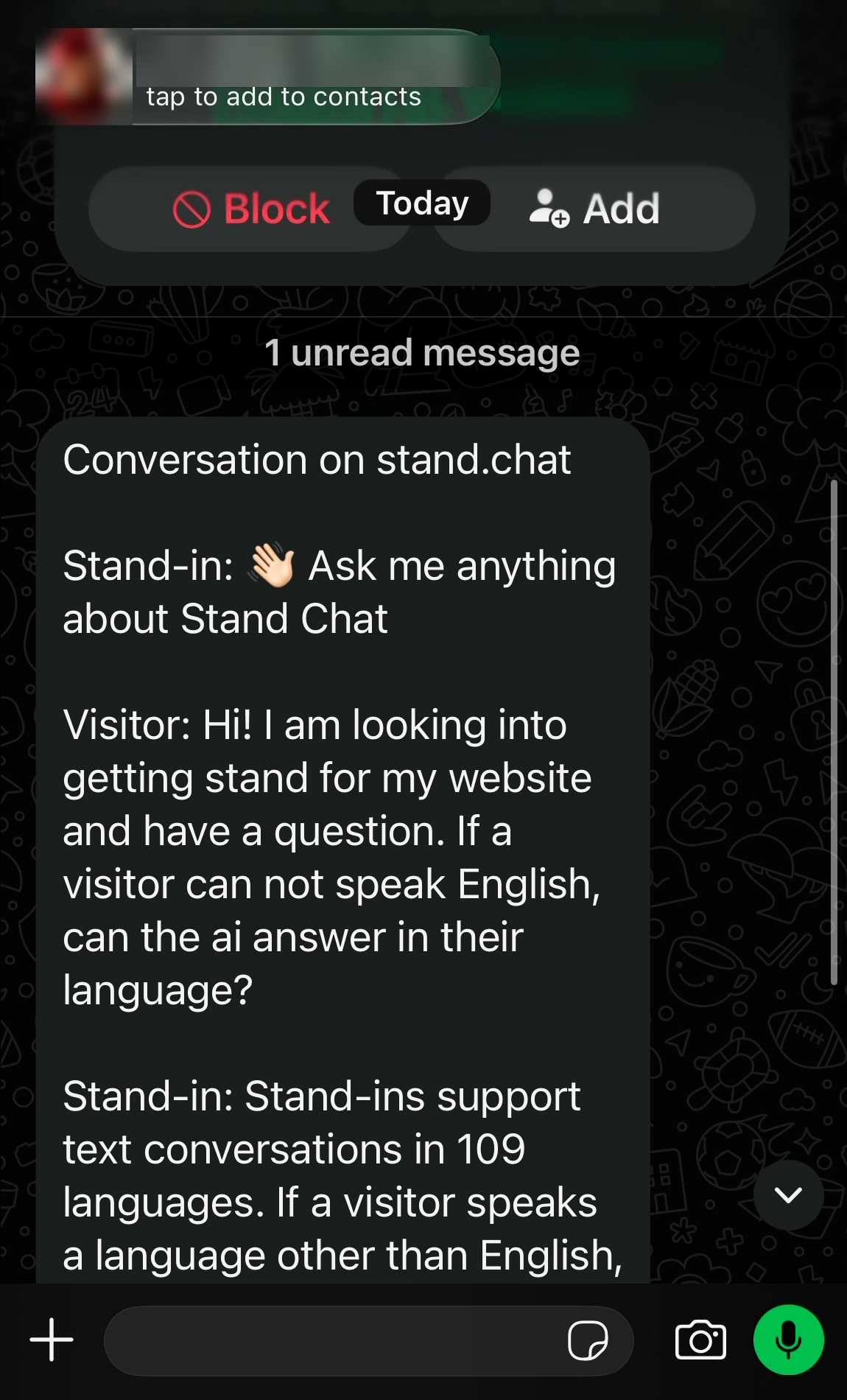
Stand copies the messages as they are, with the address of every link, and writes no summary. The text is put together in the visitor's browser from what the chat shows, so the Stand-in's instructions stay out of it. A long conversation would not fit in a link. WhatsApp then gets the latest messages, and the chat offers Copy conversation for all of it.
Each person on the team saves their own number on Profile in the Stand app. There is no number for the whole site. A visitor who is talking to a person gets that person's number, and a visitor who is talking to a Stand-in gets the number of the person it covers for. If a teammate takes the chat over, the offer changes to the teammate's number.
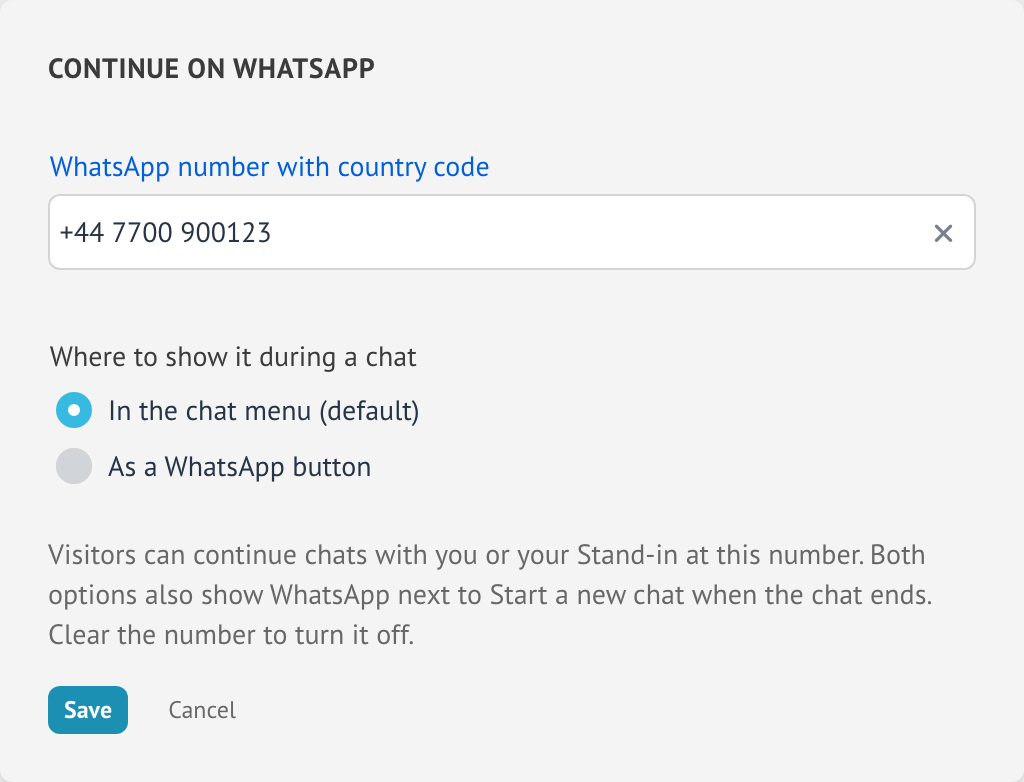
The second choice puts a WhatsApp button in the chat's header. Either way, a WhatsApp icon is next to Start a new chat when the chat has ended, for the visitor who decides late.
After Send it is a WhatsApp chat between two phones. I had the visitor's number, and their question was above my first reply. From there on I answered myself: the Stand-in does not answer in WhatsApp.
In the Stand app the website part of the conversation is in History, with a note where the visitor chose WhatsApp.
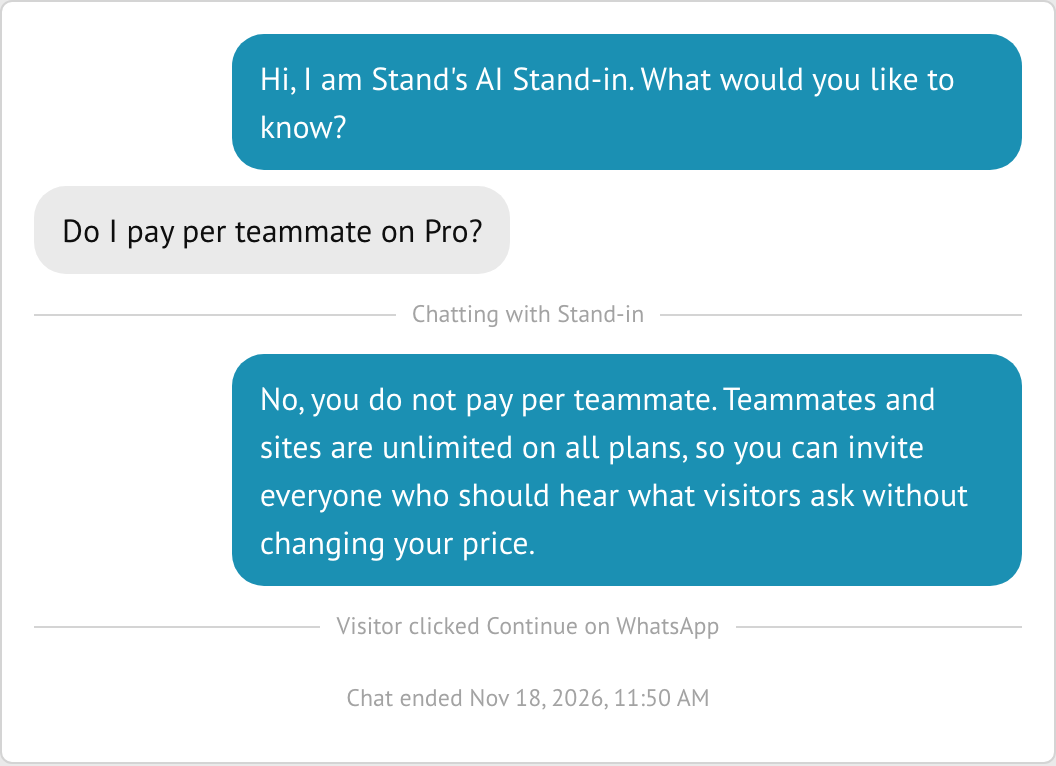
Stand cannot tell whether the visitor went on to press Send.
Continue on WhatsApp is on every plan at no extra cost. It needs no business API and no second number: the visitor's WhatsApp opens a chat with the number you already use, in WhatsApp or in the WhatsApp Business app.
Stand's Base plan is $0 and covers 15 website chats a week, about 65 a month. What is said in WhatsApp afterwards is not counted.
You need Stand on your site and a phone number that is on WhatsApp. If the chat button does not show on your site yet, ask your AI to "add stand.chat" on your website, or follow the quickstart.
+ and your country code, such as +55 11 99999-9999.See Offer a move to WhatsApp in the Guide, and the reference for what goes into the text.