Knowledge bases
Document knowledge sources
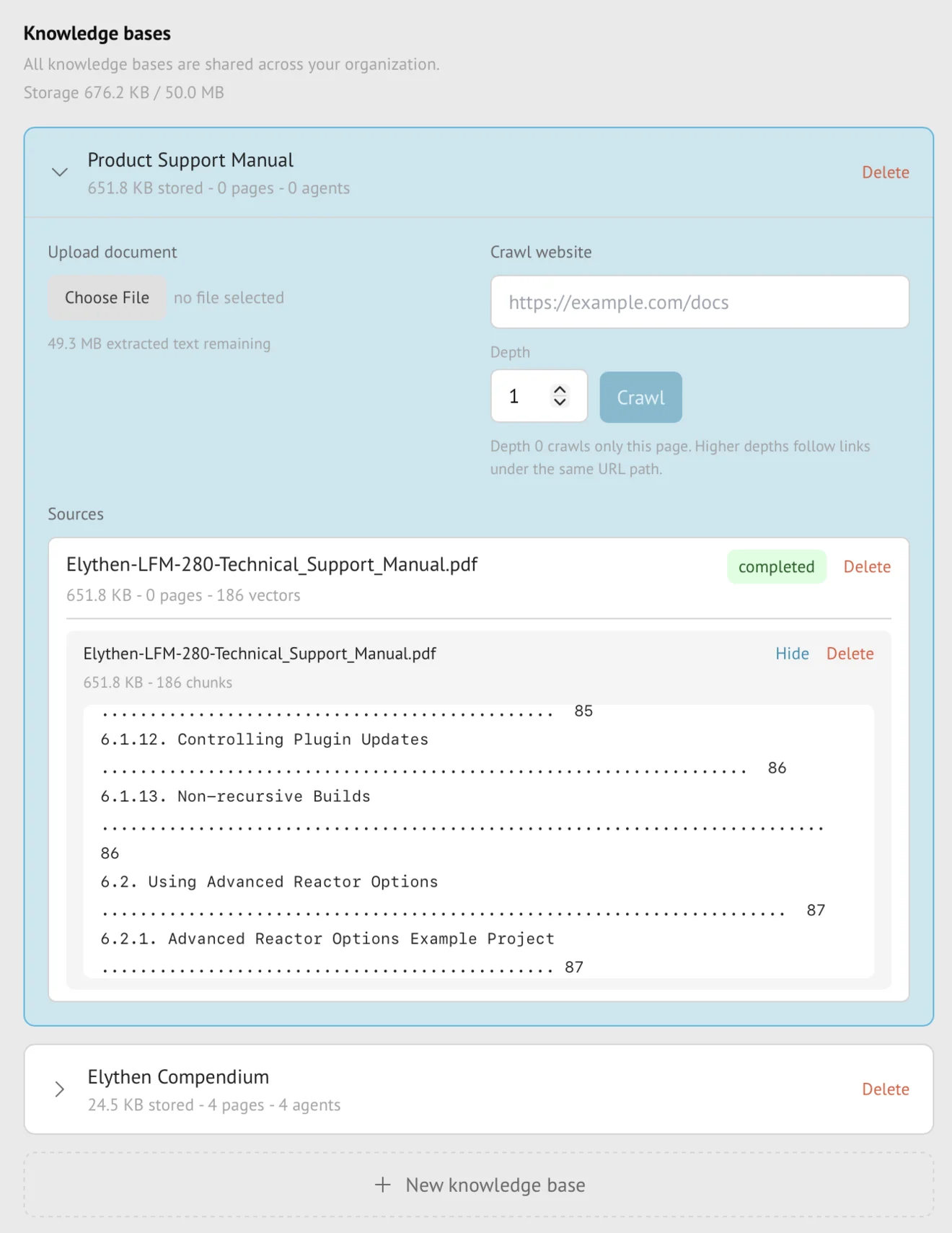
Document sources extract text and structure from an uploaded PDF, Word DOCX, Markdown, or plain-text file and index that material privately for Stand-in retrieval. Stand accounts for the extracted indexed text rather than the original upload size.
- Availability
- Pro and Business
- Configured in
- Dashboard → Stand-ins → Knowledge bases → expand a knowledge base → Document sources → Upload document
- Category
- Knowledge bases
- Reference status
- Current
Before you begin
Plan availability: Pro and Business.
Prerequisite: A Pro or Business organization, a supported readable file, and ownership of the knowledge base being changed.
Key boundary: Stand retrieves extracted text, not the original visual document. Images, unsupported embedded objects, scanned pages without extractable text, and layout-dependent meaning may not become useful knowledge.
Supported document types
| Type | Indexed material |
|---|---|
| PDF (.pdf) | Extractable text and recoverable structure. Image-only scans need text extraction outside Stand first. |
| Word (.docx) | Text and supported document structure from DOCX files. Legacy .doc files are not supported. |
| Markdown (.md, .markdown) | Headings, lists, code, links, and text structure expressed in Markdown. |
| Plain text (.txt) | Text content separated into searchable and retrievable sections. |
Upload and ingestion lifecycle
- Choose Upload document in a knowledge base you own and select a supported file.
- Stand creates an ingestion task and exposes its current status rather than treating upload completion as indexing completion.
- Successful extraction is divided into indexed sections that can be inspected and searched from the source details.
- The source becomes useful to a Stand-in only after ingestion succeeds, the knowledge base is attached, and the Stand-in changes are saved.
Content accounting
Pro and Business indexed-content allowances measure the extracted text that Stand stores for retrieval. The raw file’s byte size and internal retrieval representations are not presented as plan usage.
A file can therefore have a large original size but comparatively little indexed text, or fail to provide useful text despite uploading successfully. The source status and extracted-text inspection are the authoritative customer-visible result.
Update or remove a document
- The dashboard has Upload document and Delete source controls; it does not offer an in-place Replace action for an uploaded file.
- Upload the revised file as a new source, wait for indexing to complete, and inspect its extracted text. Reusing the filename does not replace the previous source.
- Delete the outdated source after the revised file is ready. Until deletion, both sources consume allowance and both may contribute to answers from an attached base.
- If allowance is insufficient to keep both, removing the old source first creates a knowledge gap until the new upload succeeds. Keep the original file outside Stand if it may need to be uploaded again.
- Deleting the owned document removes its indexed material from future retrieval after the deletion lifecycle completes.
Availability and boundaries
- Document sources are unavailable on Base.
- Other organization members can see shared knowledge bases, but only the owning rep can upload or delete their document sources.
- Stand does not expose the uploaded file or extracted private source as a visitor-visible system message.
- Downgrading preserves the resource in grace or read-only state rather than deleting it, but new ingestion and refresh pause while the organization is above the current entitlement.
Example
The screen below shows the feature in its normal Stand context. Labels and surrounding controls may vary with account state and plan.