Knowledge bases
Website knowledge sources
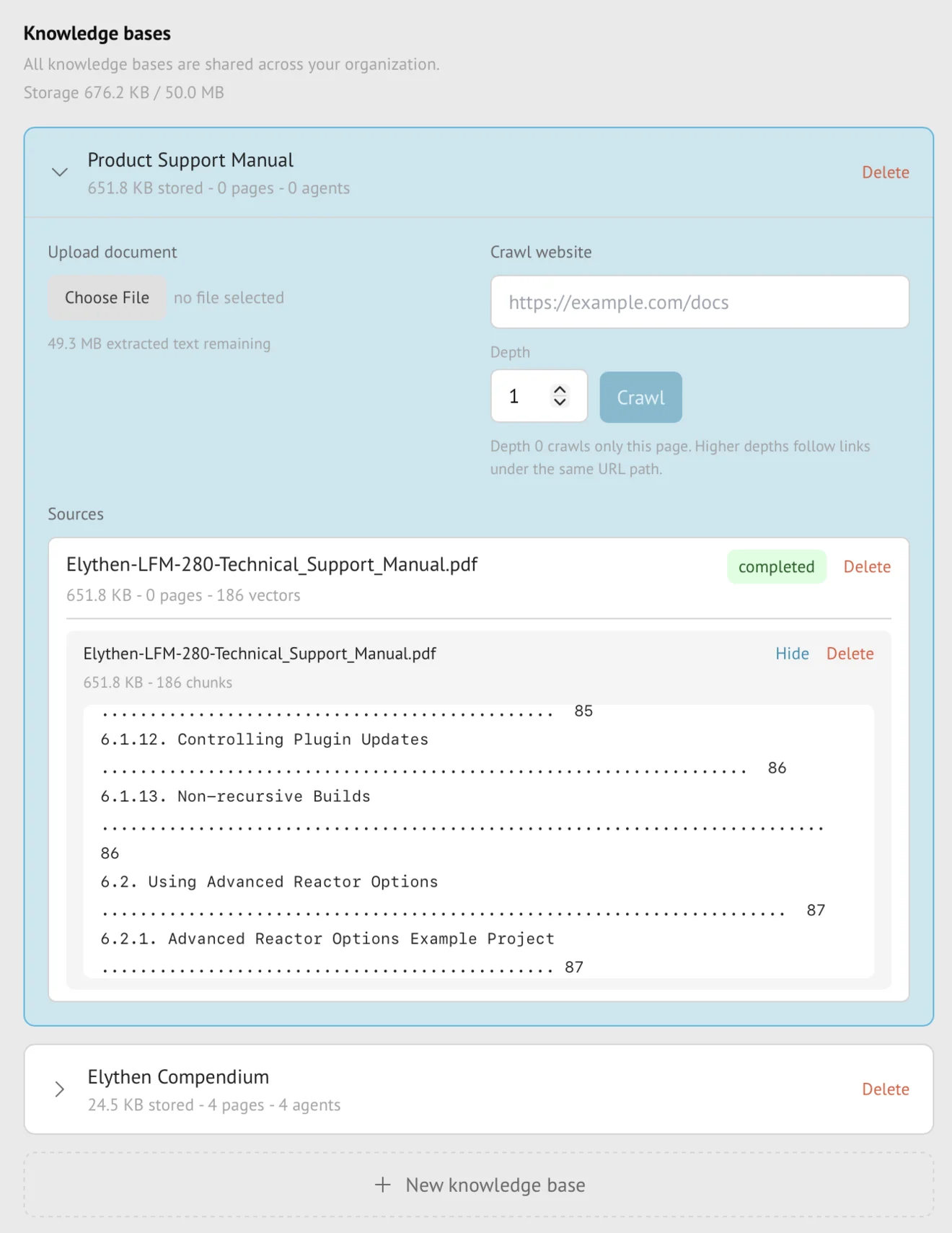
A website source crawls a starting URL and turns successfully read pages into private, structured knowledge an AI Stand-in can retrieve. Crawl depth controls how far Stand follows links within the starting host and path subtree, while plan allowances count pages that were actually indexed.
- Availability
- All plans
- Configured in
- Dashboard → Stand-ins → Knowledge bases → expand a knowledge base → Website sources → Crawl
- Category
- Knowledge bases
- Reference status
- Current
Before you begin
Plan availability: All plans; page and indexed-content allowances vary by plan.
Prerequisite: A publicly reachable HTTP or HTTPS starting URL and ownership of the knowledge base being changed.
Key boundary: A crawl stays within the starting host and path subtree. It does not sign in, bypass access controls, or guarantee that every linked page can be indexed.
Create a website source
- Open or create a knowledge base, choose the website source type, and enter the starting URL.
- Choose a crawl depth from 0 through 10. Depth 0 indexes only the starting page; higher values permit additional same-site link levels.
- Start ingestion and monitor the source task until it succeeds, fails, or is cancelled.
- Attach the completed knowledge base to a Stand-in and save the Stand-in before expecting retrieval in Try it out or public chats.
Crawl boundaries and accounting
| Rule | Behavior |
|---|---|
| Host and path scope | A crawl starting at https://example.com/docs follows /docs and its descendants, not /pricing or another host. Starting at the domain root permits the whole host within the selected depth. Query strings and fragments do not create separate indexed pages. |
| Depth | Accepted values are 0 through 10 and limit link traversal from the starting page. |
| Per-crawl guardrail | One website crawl can attempt up to 1,000 pages. This is a platform guardrail, not an extra plan allowance. |
| Plan page usage | Only successfully indexed web pages count toward the organization’s advertised page allowance. |
| Indexed-content usage | Plans with a content allowance count extracted indexed text, not raw HTML, images, or retrieval vectors. |
What Stand preserves and removes
- Self-contained headings and their associated paragraphs.
- FAQ questions with their answers, nested lists, labeled table rows, and code examples with nearby explanation.
- Page URL, title, and section context used to ground retrieved facts.
- Relevant same-page glossary or parent context when a code example must be split for indexing.
- Repeated navigation, menus, and other page chrome are removed so they do not dominate retrieval.
Refresh and failure behavior
Every plan can manually refresh a website source it supports. Stand builds a replacement version while the prior successful content remains available to attached Stand-ins.
A successful refresh replaces the old version. If crawling or indexing fails, Stand shows the failure and keeps the last successful content available. Temporary replacement work does not permanently count twice toward usage.
Plan availability
- Current knowledge-base allowancesCompare source types, page counts, and indexed-content capacity by plan.
- Every plan supports website crawling; plan allowances determine how many bases, indexed pages, and bytes of extracted text the organization can use.
- Pro has independent page-count and indexed-content allowances: satisfying one does not waive the other. Business uses an indexed-content allowance without a separate advertised page-count cap.
Example
The screen below shows the feature in its normal Stand context. Labels and surrounding controls may vary with account state and plan.