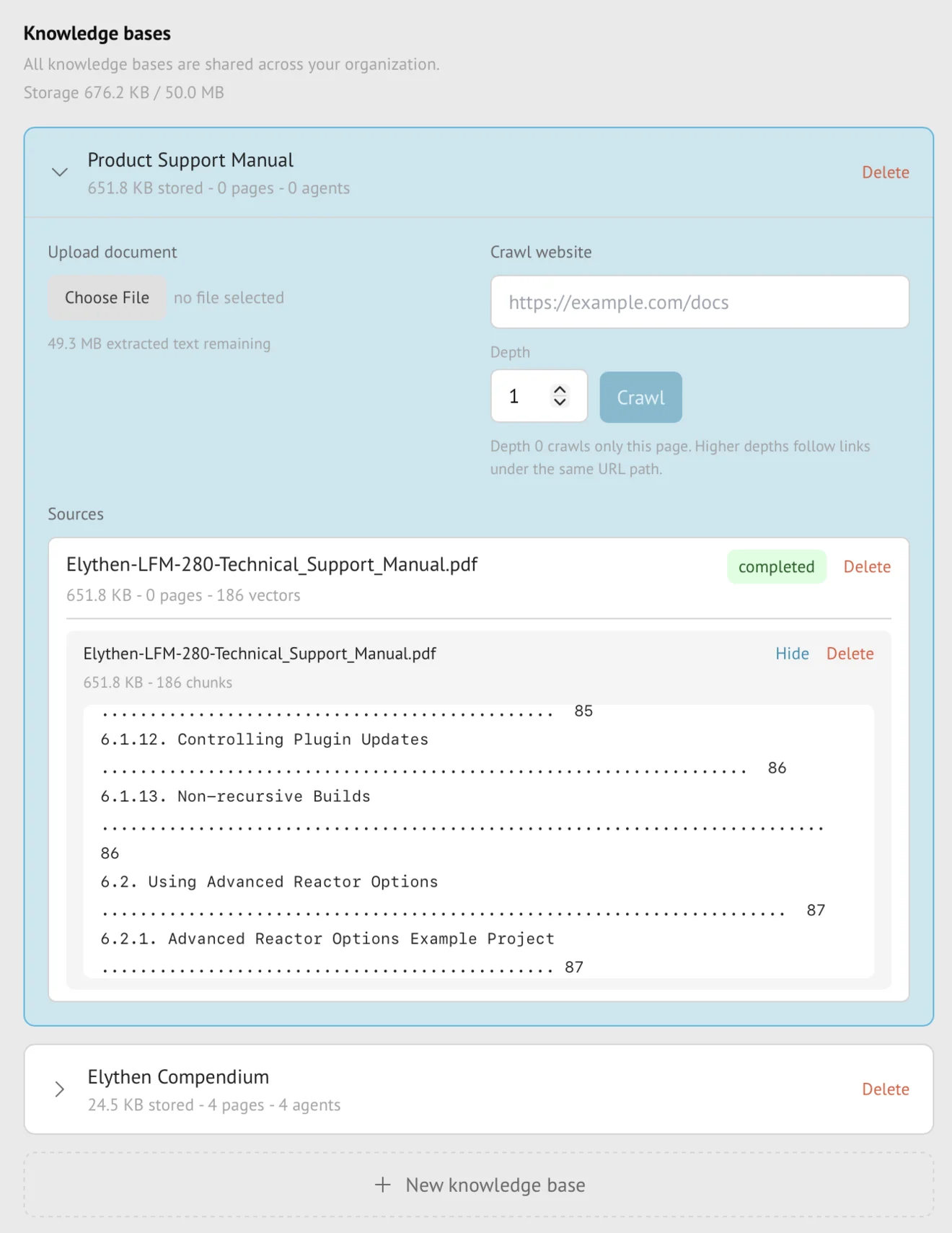
Knowledge bases
Knowledge source refreshes
Manual refresh re-crawls a website source or re-ingests a sitemap while retaining the last successful version until replacement succeeds. Business nightly sitemap refresh works incrementally: it adds or replaces eligible pages and keeps other indexed pages in place.
- Availability
- Manual refresh follows source availability; nightly sitemap refresh is Business-only
- Configured in
- Dashboard → Stand-ins → Knowledge bases → expand a knowledge base → Sources → Re-crawl or Re-ingest
- Category
- Knowledge bases
- Reference status
- Current
Before you begin
Plan availability: Manual refresh follows source availability; nightly sitemap refresh is Business-only.
Prerequisite: Ownership of the source, a source type available on the current plan, and enough entitlement to complete new ingestion.
Key boundary: Refresh cannot make an unreachable, invalid, or unsupported source readable. A failed refresh preserves old content but does not silently treat it as current source truth.
Replacement lifecycle
| State | Stand-in-visible knowledge |
|---|---|
| Refresh queued or running | The prior successful version remains active while replacement work proceeds. |
| Refresh succeeds | Future retrieval uses the completed replacement. |
| Refresh fails | The prior successful version stays active; the task and source expose the failure for customer review. |
| Refresh cancelled | Active replacement work stops where cancellation is supported, without promoting partial content. |
Refresh methods by source
- Website sources can be manually re-crawled on every plan that supports them.
- For uploaded documents on Pro and Business, upload the revised file as a new source and then delete the outdated source. This is separate from the automatic replacement lifecycle used by website and sitemap refresh.
- Sitemap sources can be manually re-ingested on Pro and Business.
- Business can additionally enable nightly sitemap processing for new or newer pages with usable
lastmoddates.
Usage during replacement
The active and replacement versions can coexist internally while a safe replacement is built, but customer-visible plan accounting is based on authoritative indexed content rather than permanently summing both versions.
The completed replacement still must fit the organization’s page and indexed-content entitlements. Downgraded organizations above allowance remain visible in grace or read-only state and cannot start new refresh work until they are within the current plan.
When Stand-ins see the change
- AI Stand-ins continue retrieving from the old successful source while the new version is incomplete.
- A successful source replacement changes future retrieval without requiring the knowledge base to be detached and reattached. Nightly sitemap refresh only updates eligible pages; it does not remove pages missing from the latest sitemap.
- An already generated AI message is not rewritten when knowledge refreshes.
- Try it out is the direct way to check future retrieval after a successful refresh.
Ownership and failure boundaries
- Only the owning rep can refresh the source, cancel its ingestion, or delete it.
- A success status confirms ingestion, not that every possible future question will retrieve the desired passage.
- Failed new work does not delete the prior version, but the customer should review the failure rather than assuming the source is newly current.
- Automatic sitemap refresh is not a substitute for manual full re-ingest when entries lack reliable change dates.
Example
The screen below shows the feature in its normal Stand context. Labels and surrounding controls may vary with account state and plan.