Branding and identity
Lapel pins and team pin policy
Lapel pins add a compact badge or brand mark to responder identity, with an owner-controlled team policy that can override individual choices.
- Availability
- All plans
- Configured in
- Dashboard → Profile → My pin preference; Dashboard → Stand-ins → Looks; owners: Dashboard → Team → Team pin policy
- Category
- Branding and identity
- Reference status
- Current
Before you begin
Plan availability: All plans.
Prerequisite: A profile or Stand-in identity. Team-wide enforcement and shared asset changes require an active organization owner.
Key boundary: When a team policy is active, individual rep and Stand-in pin choices remain secondary and are not what visitors see.
Pin presentations
| Type | Presentation |
|---|---|
| None | No pin is shown. |
| Circle | A compact circular icon or uploaded mark over the avatar. |
| Pill | A short text or logo treatment with configured colors, border, and typography. |
| Free team policy | No team override; each rep or Stand-in uses its own applicable choice. |
Which pin visitors see
- A configured team policy resolves first and overrides member and Stand-in choices.
- When the team policy allows free choice, an AI Stand-in uses its Stand-in pin and a live human uses the rep’s personal pin.
- A Stand-in does not inherit its owner rep’s personal pin.
- No applicable pin results in no badge rather than an arbitrary organization default.
Configure a personal or team pin
- Members edit My pin preference on Profile.
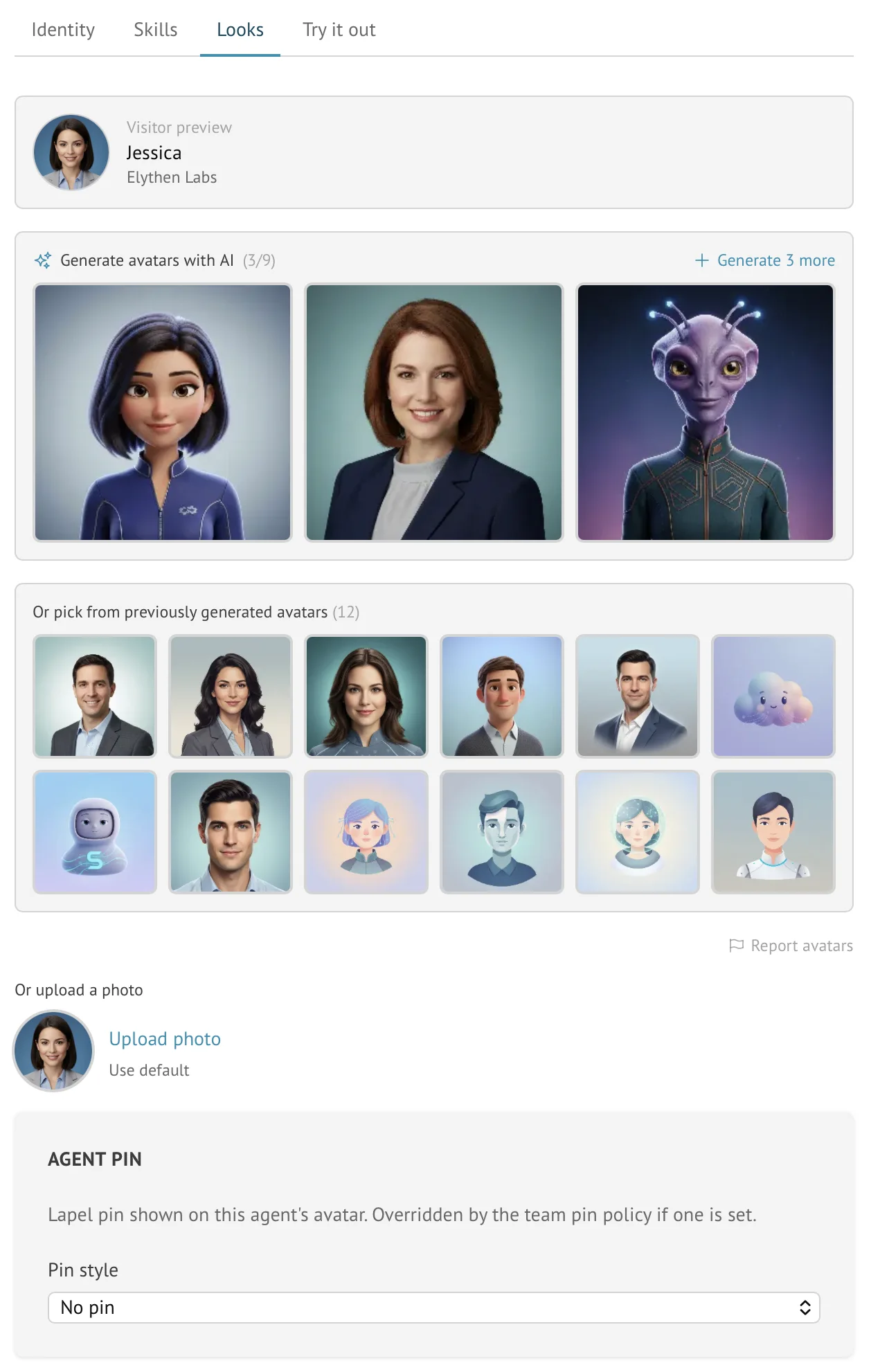
- Stand-in pins are edited in the selected Stand-in’s Looks tab.
- Active owners open Team and add a Team pin policy to enforce one presentation across the organization.
- Removing the team policy returns control to individual choices; selecting no pin as a policy can deliberately suppress pins team-wide.
Use a circle pin as a Stand-in avatar
Where the appearance editor offers it, a circle pin can replace the Stand-in’s ordinary avatar rather than appearing as an overlay. A team policy can supply that circle image, so the preview identifies whether the source is the team pin or personal selection. Pill pins remain badge treatments rather than avatar replacements.
Boundaries
- Pins are visual identity, not verification, certification, or permission.
- Creating, changing, or removing the team policy and uploading its shared icon or logo require the active organization owner; ordinary active members can still manage their personal pin.
- Uploaded pin assets follow their own image validation and do not automatically enter the reusable avatar pool.
- A team override can make a saved individual preference temporarily invisible without deleting that preference.
Example
The screen below shows the feature in its normal Stand context. Labels and surrounding controls may vary with account state and plan.