History and insights
Conversation History
History is the searchable record of completed human and AI conversations, including their transcripts, captured outcomes, origin, timing, and assigned responder.
- Availability
- All plans
- Configured in
- Dashboard → History → select a conversation
- Category
- History and insights
- Reference status
- Current
Before you begin
Plan availability: All plans; searchable content is limited by the organization’s retention period.
Prerequisite: A completed conversation in the member’s accessible scope; readable message content must still be retained.
Key boundary: History contains closed conversations. Ongoing work remains in the live dashboard, and expired chat content cannot be recovered from History.
What History preserves
When a human or AI conversation closes, Stand adds it to History. The list provides a durable work record; selecting a row opens the full conversation detail without leaving the desktop master-detail view. On smaller screens, the detail opens as its own route.
History is an operational record rather than an AI summary. It preserves the messages and structured cards that were actually exchanged, plus metadata needed to understand where and when the chat happened.
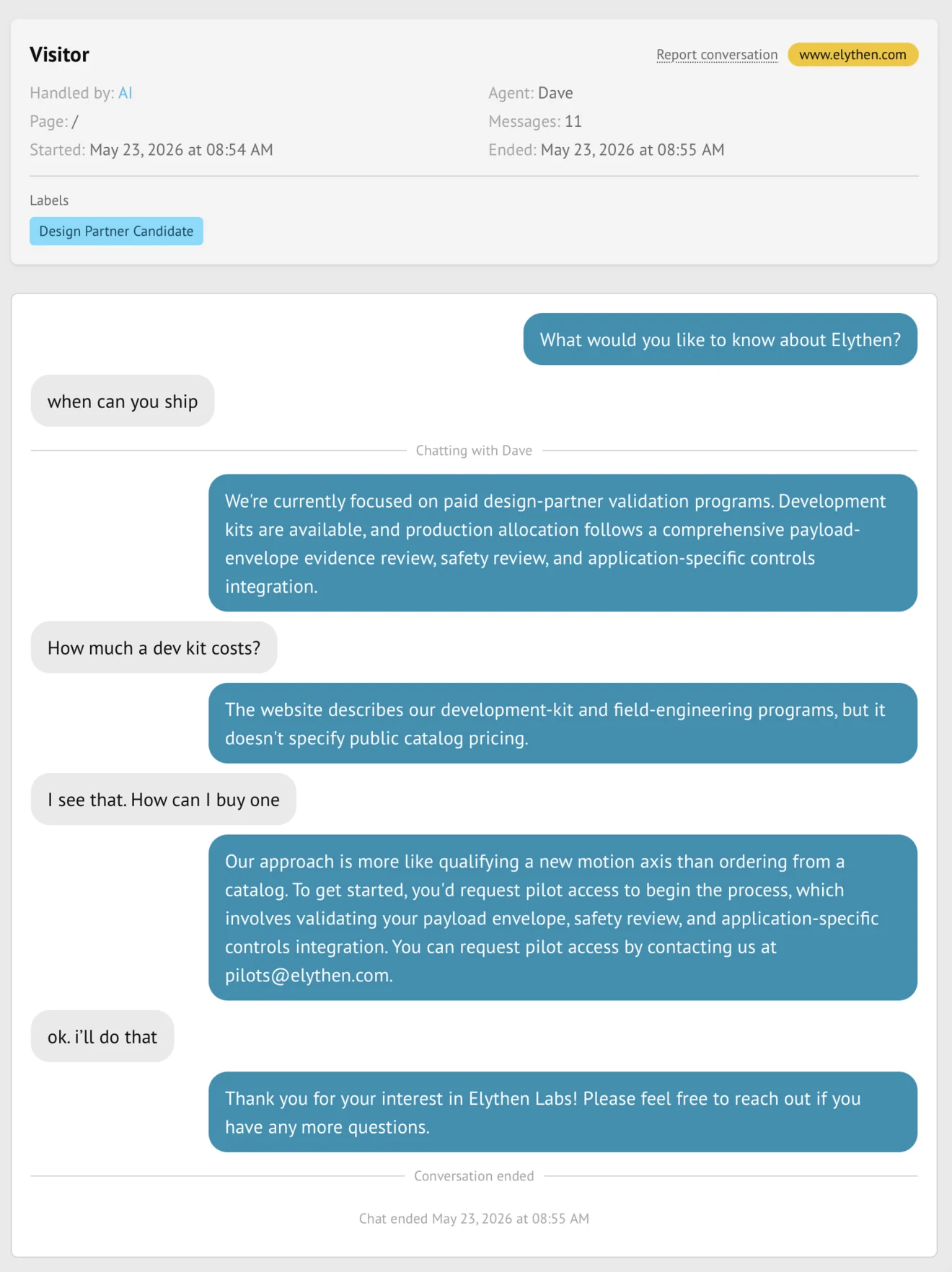
Conversation detail
- Visitor, rep, and AI messages in chronological order.
- System cards, link cards, and private system-prompt context with their distinct rendering.
- Captured contact information and conversation labels.
- The website page, start time, duration or close timing, and assigned rep or Stand-in.
- Responder and visitor display names that applied to the session.
- Copy and report actions for the selected conversation.
Review a conversation
- Open History from the dashboard navigation.
- Use the list or filters to locate the conversation.
- Select it to inspect metadata, outcomes, and the transcript.
- Use Copy to put a Markdown rendering on the clipboard, or Report conversation to flag a problematic result.
- Use the JSON download on the History page when analysis needs more than one conversation.
Access and scope
- Every active member can review conversations in the scope available to their role.
- Owners can switch between their own and organization-wide results; ordinary members use their own scope.
- Past transcripts remain attributed when a member is later removed.
- History follows the organization’s retention policy and plan entitlement.
Boundaries
- History is not a backup beyond the selected retention window.
- The external identifier supplied by visitor identification is not exposed in History.
- Changing a profile or Stand-in later does not rewrite the identity preserved with an older conversation.
- Reporting a conversation flags it for review; it does not edit the transcript.
Example
The screen below shows the feature in its normal Stand context. Labels and surrounding controls may vary with account state and plan.