History and insights
Conversation export
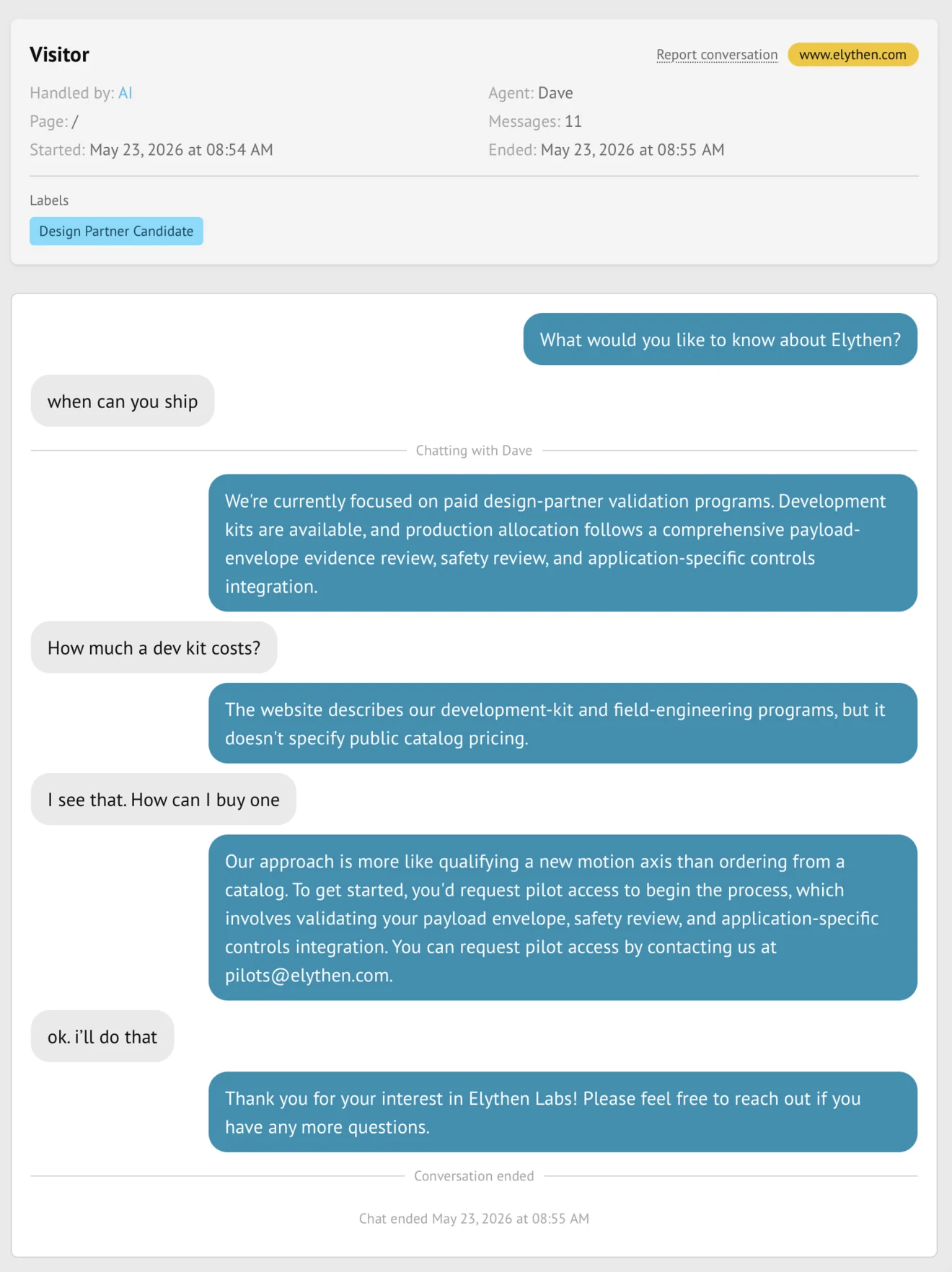
Stand exports one selected conversation as clipboard-ready Markdown or every conversation matching the active History filters as a downloadable JSON dataset.
- Availability
- All plans
- Configured in
- Dashboard → History → Copy in conversation detail; or Download in the History toolbar
- Category
- History and insights
- Reference status
- Current
Before you begin
Plan availability: All plans.
Prerequisite: Retained conversations in the member’s accessible History scope; browser download and clipboard permission as applicable.
Key boundary: Exports are point-in-time copies. They do not stay synchronized with Stand and become the customer’s responsibility after download.
Two export paths
| Action | Output | Scope |
|---|---|---|
| Copy | Markdown placed on the clipboard. | The currently selected conversation. |
| Download | A JSON file generated for analysis or transfer. | All accessible conversations matching the current History filters, across result pages. |
Export a filtered dataset
- Set responder, scope, site, contact, label, date, and search filters in History.
- Review the result count to confirm the intended population.
- Choose Download filtered conversations as JSON.
- Stand prepares the export, then the browser starts the file download.
- Keep the file only in tools and locations approved for the organization’s customer data.
What an export represents
- Conversation and responder metadata available to the requesting member.
- The retained session transcript, participants, captured contact details, structured cards, labels, and any retained private page context visible to the requesting member.
- The effective visitor name where present; private page-known external IDs are excluded.
- Only data still present under the current retention policy at export time.
Check a bulk export before using it
The JSON contains exportedAt, the applied filters, a conversations array, totalElements, exportedElements, and failedSessionIds. Compare totalElements with exportedElements and inspect failedSessionIds before treating the file as a complete dataset.
A record that cannot be read may be listed as failed rather than included. Retry an affected subset if needed. If the download is interrupted or the service is busy, wait and retry or narrow the date range; do not treat a partial or invalid JSON file as a completed export.
After the data leaves Stand
Limitations
- Copy requires browser clipboard access and can fail when permission is denied.
- A bulk export is constrained by the current user’s authorization and active filters.
- The JSON file is intended for customer-controlled analysis; Stand does not automatically import edits back into History.
- Expired or already-deleted content is not reconstructed for export.
Example
The screen below shows the feature in its normal Stand context. Labels and surrounding controls may vary with account state and plan.